Minimalist Media Widget for DesktopHut Luna
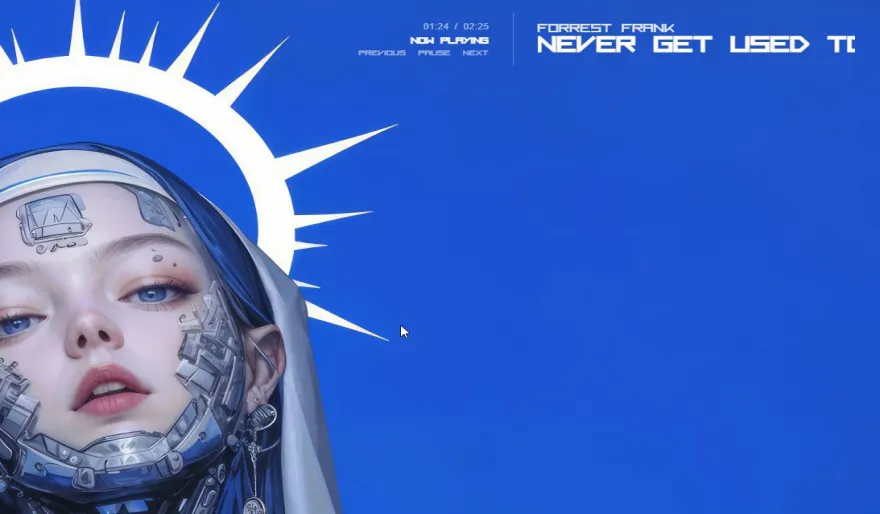
Never miss a beat with this elegant, minimalist media widget. See what's playing on Spotify, YouTube, and other media players directly on your desktop. Featuring a clean, adaptive design and extensive customization, it's the perfect companion to our free DesktopHut Live Wallpaper engine.
How to Interact (M-Key Explained)
This widget is designed with a special click-through feature, meaning its transparent background won't interfere with your desktop icons. To interact with it, you use the 'M' key as a modifier:
- Step 1: Activate the Widget: Move your mouse cursor over any of the widget's text or elements. It will now become "solid" and ready for interaction.
- Step 2: Use the Modifier Key: Now, press and hold the 'M' key on your keyboard.
- To Move: While holding 'M', left-click and drag the widget to any position on your desktop.
- To Open Settings: While holding 'M', right-click to open the context menu for all customization options.
When you release the 'M' key and move your mouse away, the widget will become click-through again automatically.
Core Features
- Live Track Info: Automatically displays the current song title and artist from apps like Spotify and YouTube.
- Dynamic Auto-Sizing: The widget's width intelligently adapts to the length of the artist and title text.
- Seamless Title Carousel: For extra-long song titles, enable a continuous, glitch-free scrolling animation.
- Full Customization Suite: Use the intuitive context menu to access a color wheel, granular opacity (10-100%), and scaling (50-150%).
- Custom Font Support: Simply add your own .ttf or .otf font files to the `fonts` folder to use them in the widget.
- Persistent Settings: Remembers your position, size, color, font, and all other settings automatically after a restart.
Easy 3-Step Installation
- Download the MinimiMedia-Beta.zip file using the button below.
- In the DesktopHut Luna Software, navigate to the "Widgets" section and click "Add Widget."
- Select the downloaded .zip file, enable the new widget from your library, and enjoy!
Download the Widget
Minimalist Media Widget
Version: 1.1 (Stable)
File Size: ~21.9 MB
License: Freeware
Requires: Luna v5.1.0+
