🔥 Trending 🎞️ Live Wallpapers ✨ 4K 🌸 Anime 🌙 Dark ⚫ OLED 📱 AMOLED 🖼️ Backgrounds 🚗 Cars 🎮 Gaming 🌿 Nature 🚀 Space 🎀 Anime Girl 🖥️ 1920×1080 🌃 Cyberpunk 🎄 Christmas
Home > Games > Ada Wong Holding Key Live Wallpaper

Ada Wong Holding Key Live Wallpaper

Next wallpaper
Advertisement
0:00 0:00
Description
Games

Ada Wong Holding Key Live Wallpaper is a stunning computer and mobile background available in Games category. The original resolution of the video is 4096x2304, with a file size of 14.83 MB.

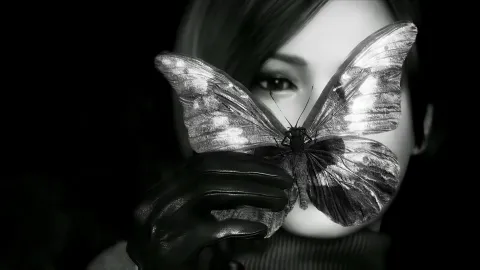
Ada Wong from Resident Evil is shown in a dark setting, illuminated by a warm orange light from the side. She wears her iconic red turtleneck and harness, holding up a small key with a confident and mysterious smile.

This animated video wallpaper brings the tense and captivating atmosphere of the game straight to your desktop or phone background. It makes a great choice for fans of the survival horror franchise.

Advertisement
DOWNLOAD
Wallspace for macOS
Instantly set this wallpaper directly in the Wallspace app.
One Game Launcher
One Game Launcher provides a centralized place for your game library easily accessible by gamepad or keyboard & mouse. OGL is available as the game bar widget (compact and desktop mode) and regular app from the start menu.
Open in Editor
Set on Browser Tab:
Advertisement

Use Cases

This 4096x2304 Games video wallpaper is perfect for:

Desktop or gaming PC wallpaper
4K and ultra-wide monitor
Large TV or digital signage
Streaming or overlay panel
YouTube or Twitch background
Wallpaper Engine or Lively
Video editing B-roll
Presentation or event backdrop

Compatibility

This file uses the HEVC codec inside an MP4 container, ensuring maximum compatibility across all modern devices and operating systems.

Windows 10 / 11 Wallpaper Engine, Lively Wallpaper, VLC
macOS 12 Monterey+ IINA, QuickTime, Wallpaper app
Linux Ubuntu 20.04+ VLC, mpv, Komorebi
Android 6.0+ Video wallpaper apps
Smart TV / Fire TV USB or streaming playback

How to Use

1

Click the Download button above to save the video file.

2

On Windows: install Wallpaper Engine or the free Lively Wallpaper app, then drag-and-drop the file in.

3

On macOS: use the free IINA player or any wallpaper app from the App Store.

4

For Wallpaper Engine users: add to your library and enable "Loop" and "Mute" in the properties.