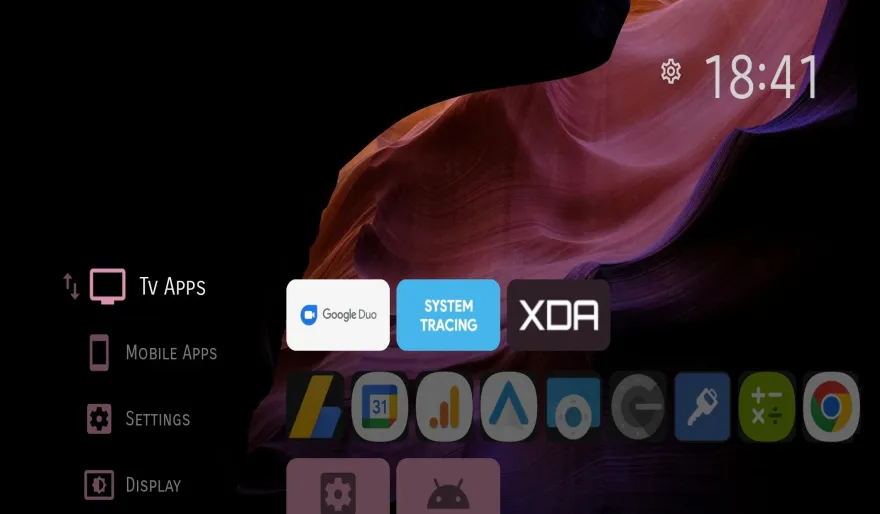
Take Your Android TV to the Next Level
So, you're using the incredible, customizable Projectivy Launcher and want to get rid of your static background? You've come to the right place. Adding a dynamic, animated live wallpaper is the single best way to make your Android TV home screen feel truly personal and alive.
This is the official DesktopHut guide on how to use any of our thousands of free video files as a live wallpaper on your Android TV with Projectivy. Let's get started!
What You'll Need:
- An Android TV device (like a Chromecast with Google TV, Nvidia Shield, etc.)
- The Projectivy Launcher installed.
- A USB flash drive or external hard drive.
- A PC or Mac to download the wallpaper files.
Step 1: Find and Download Your Perfect Wallpaper
First, you need the source material. On your computer, browse our massive library at DesktopHut to find the live wallpaper you want to use. We have thousands of options, from stunning nature landscapes to your favorite anime and game characters.
Once you find one you love, simply click the download button to save the high-quality MP4 video file to your computer.
Step 2: Transfer the Video to Your USB Drive
This step is simple. Plug your USB flash drive into your computer, and copy the MP4 wallpaper file you just downloaded directly onto it. For best results, keep the file name simple (e.g., nature-wallpaper.mp4).
Step 3: Enable Live Wallpaper Support in Projectivy
Now, head over to your Android TV. Before you can select a video, you need to make sure Projectivy is set up to use one.
- Plug the USB drive into an available USB port on your Android TV device.
- Open Projectivy Launcher's Settings.
- Navigate to the "Appearance" or "Background" section.
- Make sure the "Background Type" is set to "Live Wallpaper".
Step 4: Select Your Live Wallpaper File
This is the final step! Projectivy Launcher needs a helper app to play video files as a background. If you don't already have one, it will often prompt you to install one. A great, free choice on the Google Play Store is an app called "Video Live Wallpaper."
- In Projectivy's background settings, choose the option to "Select Live Wallpaper".
- Your TV will show you a list of apps that can handle this. Choose the "Video Live Wallpaper" app (or similar).
- Inside that app, select "Choose Video" and navigate to your connected USB Drive.
- Select the
your-wallpaper-file.mp4. - Confirm your settings (like enabling or disabling audio) and tap "Set as Wallpaper".
Return to your home screen, and you should now see your beautiful new animated background running perfectly within Projectivy Launcher!
For the Ultimate Desktop Experience...
Love the look of your new TV background? Get the ultimate, most powerful experience on your Windows PC with our official DesktopHut Software (Luna).
For true multi-monitor support, a wallpaper scheduler, desktop widgets, and real-time color adjustments, nothing beats the power and convenience of our free PC application.