
Transform your Android phone with stunning animated wallpapers in just a few simple steps. This guide will walk you through the entire process using Wallpaper Engine and wallpapers from DesktopHut.
1 Choose and Download a Live Wallpaper
- Visit desktophut.com
- Browse the collection and select a live wallpaper you love
- Download the video file to your phone
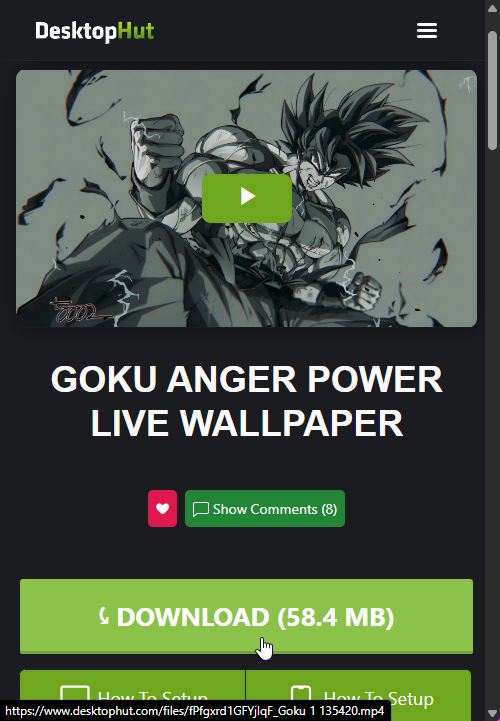
Tip: Make sure to remember where you saved the downloaded file (Downloads folder recommended).
2 Install Wallpaper Engine App
- Open the Google Play Store on your Android phone
- Search for "Wallpaper Engine"
- Install the official Wallpaper Engine app

3 Open and Configure Wallpaper Engine
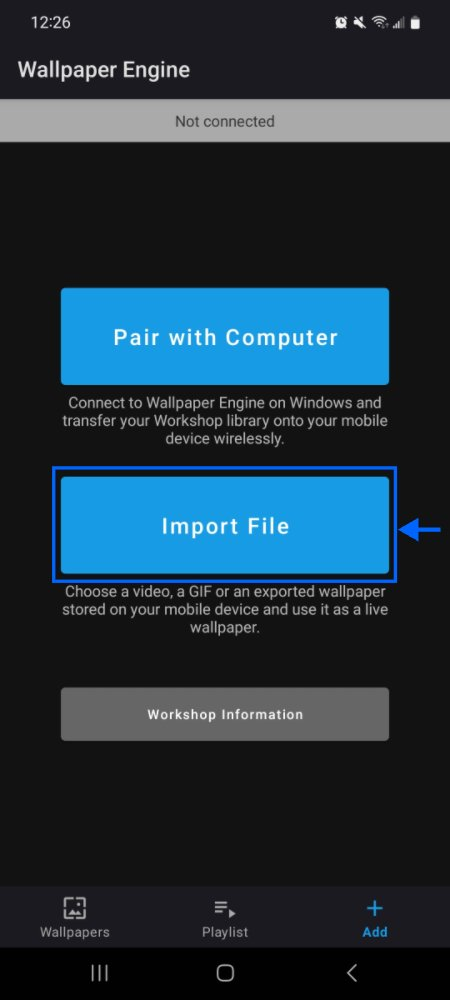
- Launch the Wallpaper Engine app
- Tap the Import File button
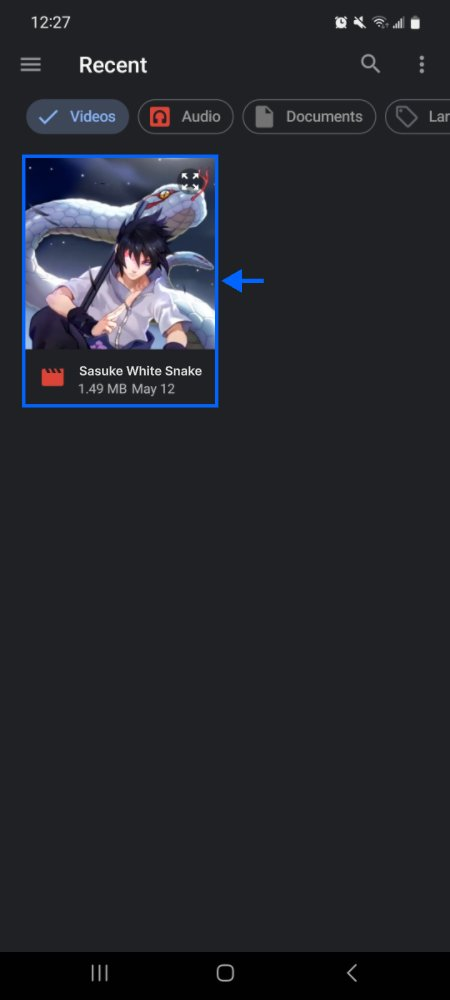
- Locate and select your downloaded wallpaper file
- Confirm your selection by tapping the checkmark


4 Set and Enjoy Your Live Wallpaper
- Tap Set Wallpaper
- Choose where to apply it (Home screen, Lock screen, or Both)
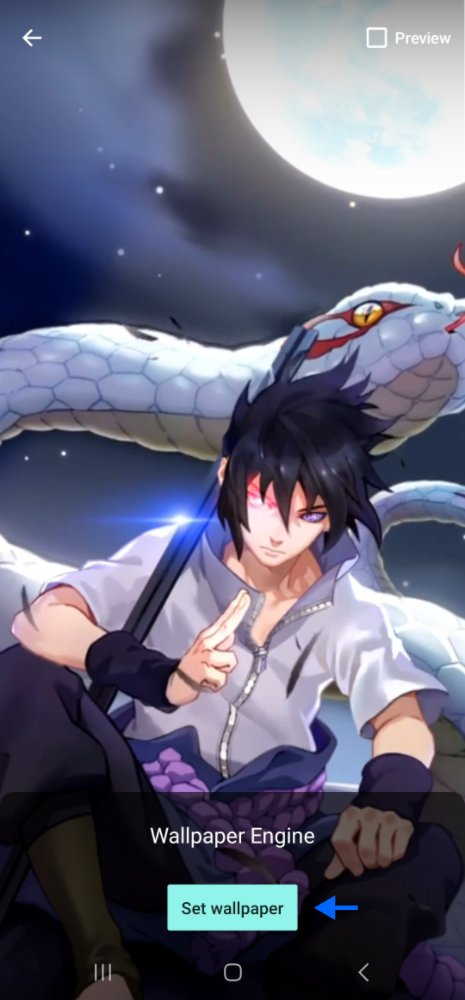
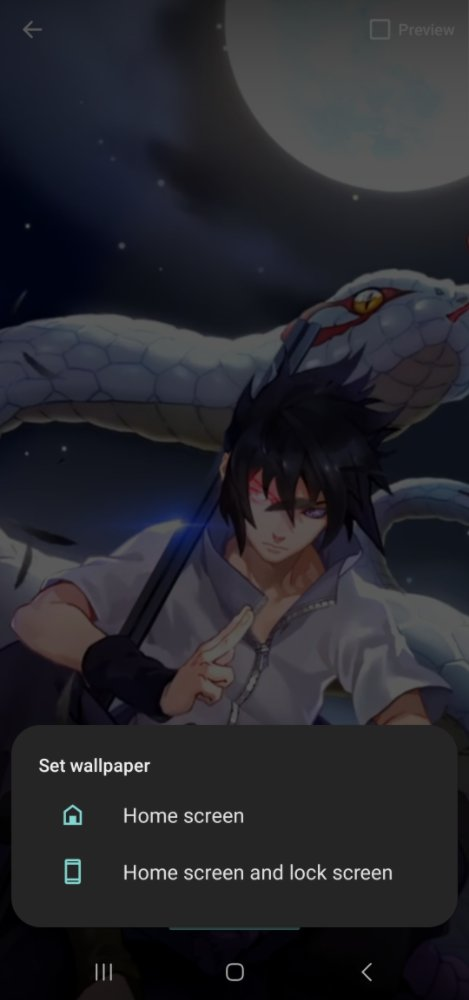
Success! Your live wallpaper is now active. The animation will play when you're on your home screen.
Ready to personalize your Android device?
Browse Live Wallpapers Now💡 Troubleshooting Tips
- Battery Optimization: Disable battery optimization for Wallpaper Engine to prevent wallpaper from stopping
- File Location: Make sure you remember where you saved the downloaded wallpaper file
- Permissions: Grant Wallpaper Engine all necessary permissions when prompted