System Island Performance Widget
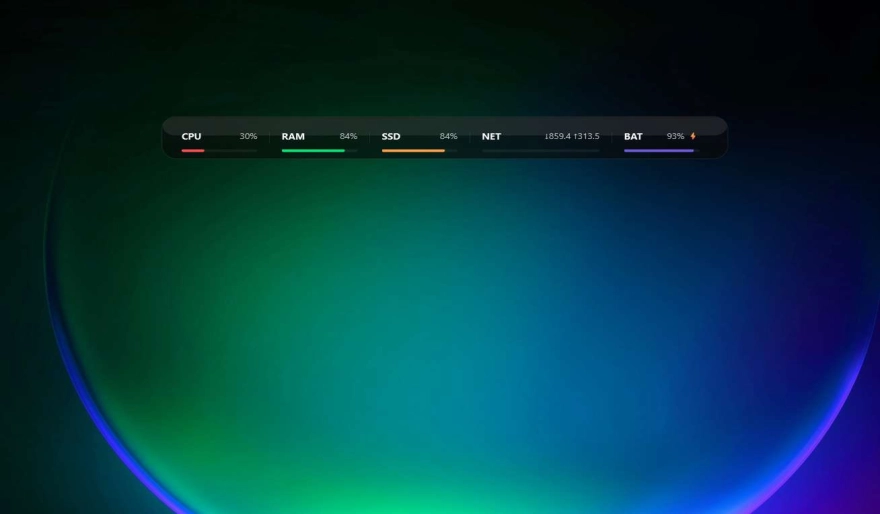
A sleek “System Island” monitor for Windows that stays on your desktop while you work or game. Track CPU, RAM, SSD, Network, and Battery with a modern fake-glass UI, scaling, and quick settings.
Key Features
Enable only what you need. Each module shows a live percentage bar and a clean label/value layout.
Modern glass-style gradient and highlights. Disable Fake Glass anytime for a simple tinted panel.
Open settings instantly via right-click anywhere on the widget. The gear button also has a larger click area.
Scale the widget from the settings panel (70%–160%) to match your screen size and desktop layout.
Automatically remembers your last position and settings. Lock position if you don’t want accidental moves.
Set it to Desktop (Bottom), Normal, or Always on Top—perfect for multi-monitor setups and workflows.
Installation Guide
- Download the .zip package using the button below.
- Open the DesktopHut Application.
- Go to the "Widgets" tab in the sidebar.
- Click "+ Add Widget" and select the downloaded widget package.
- Launch it from your library (Play). Right-click the widget for quick settings.